
Free up iPhone space, on your terms.
CleanStorage finds duplicate photos, big videos and files, and repeated contacts. You decide what goes, one swipe or one tap at a time.
Download on the App StoreFree for iPhone, with Apple Watch support. No ads, no subscription. Pro is an optional one-time purchase.
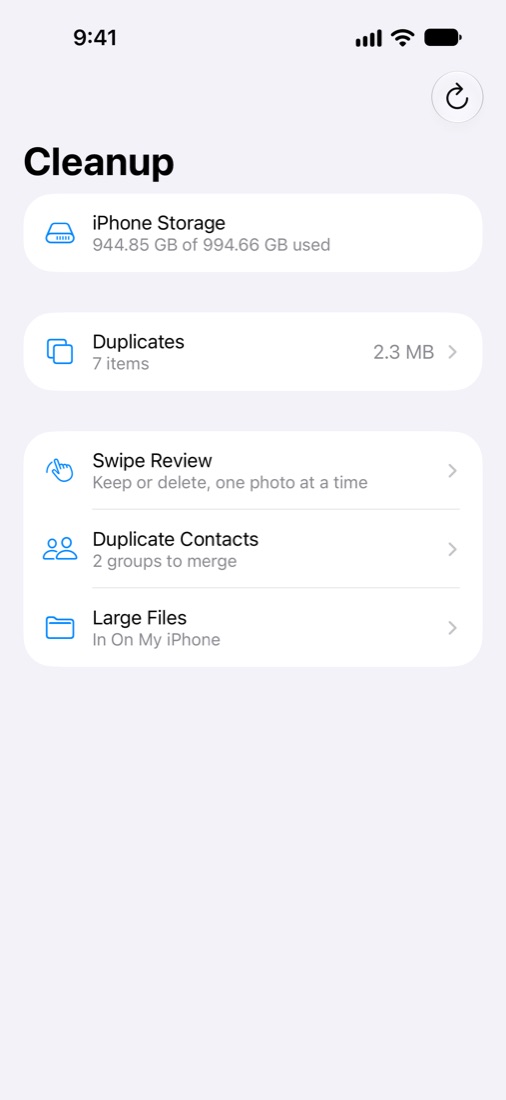
Everything that takes up space, in one place
Scanning happens on your iPhone. Nothing is deleted until you confirm, and deleted photos stay in Recently Deleted for 30 days.
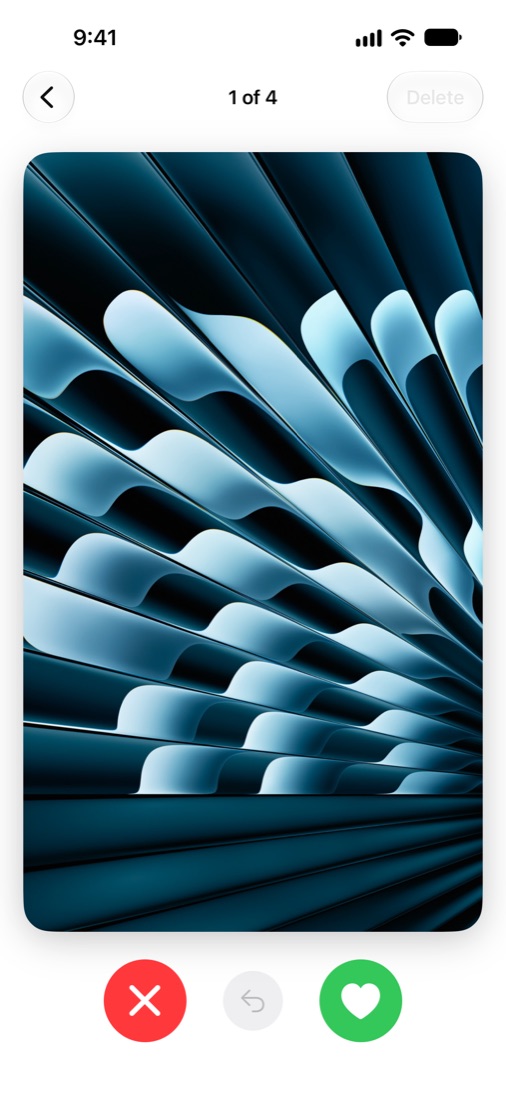
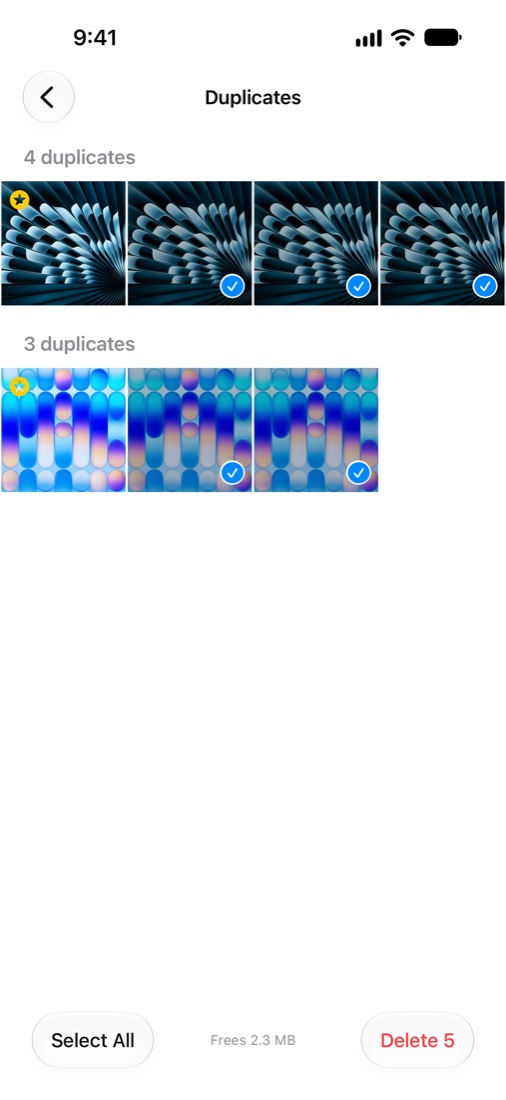
Duplicates and similar shots
Grouped together, with the best one suggested to keep.
Swipe Review
Swipe right to keep, left to delete, up to add to Favorites. Go by month, largest first, or On This Day. Videos play on the card.
Screenshots and big videos
Screenshots, screen recordings, large videos and Live Photos, each in their own list with the space they take.
Duplicate contacts
Finds contacts that share a number, email or name. Choose which one to keep, then merge.
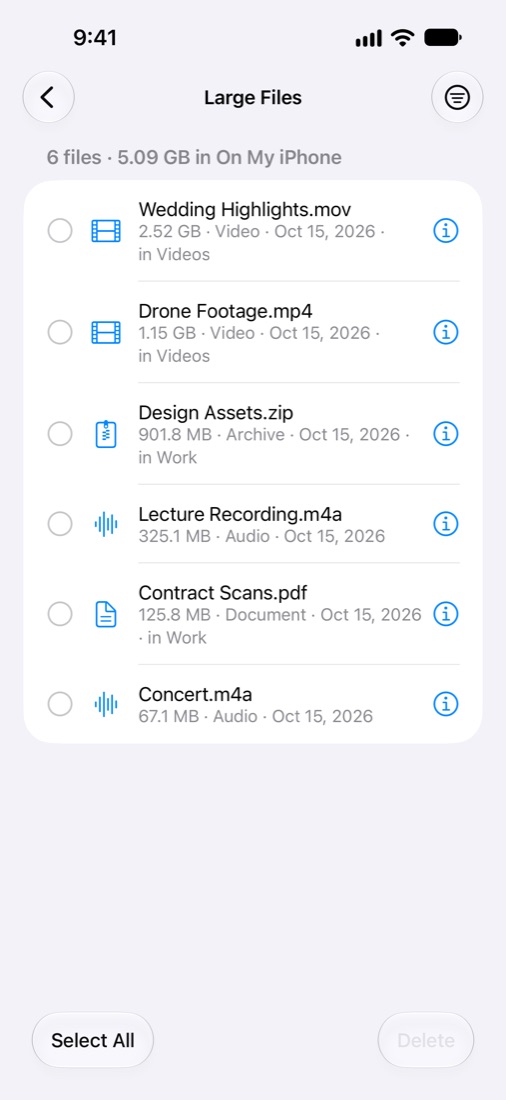
Large files
Pick a folder, such as On My iPhone or iCloud Drive, and see its biggest files. Preview them before deleting.
See what you've freed
Every cleanup ends with the space you got back. Track your total, your library progress and your streak.
Honest about iCloud
With iCloud Photos, see what's freed on your iPhone and in iCloud, and know that deleting removes photos everywhere.
Widgets and Apple Watch
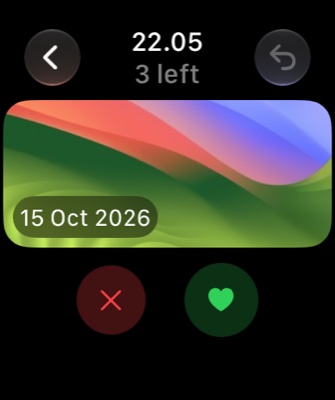
See free space and what's waiting for review on your Home Screen and Lock Screen. On Apple Watch, swipe through photos from your wrist, then delete them on your iPhone.
Free to use. Pro when you want speed.
CleanStorage Pro is a one-time purchase. No subscription, and it's shared with your family.
Free
Everything you need to see what takes up space
- Full scan with every count and size
- Swipe Review
- Screenshots, large videos and Live Photos
- Large Files
- Storage widget and reminders
Pro
One-time purchase
- Duplicates and similar shots come preselected
- Merge duplicate contacts
- Apple Watch Swipe Review and complications
- Widget shortcuts into each category
- Check iCloud-only photos
- Rescan while charging, with storage alerts
Private by design
CleanStorage has no account, no ads and no tracking. Your photos, contacts and files are checked on your device and never sent anywhere. Read the privacy policy.